

Quantized AI models are the practical way to match a long-context model to the hardware budget that actually exists. Qwen3-Next-80B-A3B-Instruct is a useful case: it has 80 billion total parameters but activates 3 billion per token, supports a native 262,144-token context window, and ships in GGUF formats for local inference. That combination changes the deployment conversation. Weight precision matters, but so do active parameters, KV-cache growth, runtime overhead, and the context length the application really needs.
The Wiro listing for Unsloth’s Qwen 3.8 Flash Next GGUF exposes this choice directly. It offers several quantized builds, optional thinking controls, and sampling settings rather than one fixed hardware target. A team can test an affordable quantization for retrieval or document work, then move up only when quality measurements justify the extra memory. That is more useful than treating a model name as a hardware requirement.
Quantized AI models change the memory question
A model file is only one part of the memory budget. At a basic level, 80 billion weights stored at 16-bit precision need about 160 GB before file-format overhead. Four-bit weights have a 40 GB theoretical floor, again before scales, metadata, runtime buffers, and other implementation details. GGUF variants do not all behave alike, so the on-disk number is a planning input, not a capacity guarantee.
Long prompts add a separate cost: the KV cache. Each generated or input token needs cached key and value tensors so the model can attend to prior tokens. The cache grows with the number of tokens, layer layout, cache precision, batch size, and concurrent requests. A configuration that feels comfortable at 8K tokens can fail at 128K even when the weight file loaded without trouble.
That is why a native 262,144-token context length should not be read as a recommendation to reserve 262K tokens for every request. It is a ceiling. A customer-support search workflow may need 16K or 32K after retrieval. A contract review job may need 80K. A repository analysis task can need far more. Infrastructure teams should size each pool around a measured prompt distribution, including the 95th-percentile request, rather than the maximum advertised context.

Why GGUF matters for local inference
GGUF is a file format widely used with runtimes such as llama.cpp. It packages model tensors and metadata in a form designed for practical local loading and quantized weights. The format does not make an 80B model small by magic. It makes a family of precision tradeoffs usable across CPU, GPU, and mixed-memory systems.
Quantization stores weights with fewer bits than BF16 or FP16. The trade is simple in principle: fewer bits reduce storage and memory traffic, while aggressive formats can reduce accuracy or alter output stability. The real result depends on the quantizer, calibration data, prompt type, and evaluation target. A short factual answer may look unchanged while code repair, multilingual retrieval, or long-document recall exposes the difference.
Qwen describes Qwen3-Next as a hybrid architecture that combines Gated DeltaNet with Gated Attention and a high-sparsity mixture-of-experts design. Its published architecture has 512 experts, with 10 activated experts plus one shared expert. Qwen also reports 48 layers and 16 query attention heads with two KV heads. Those details matter because an MoE model can carry a large total parameter count without activating every expert for each token, but it still needs sensible memory planning for weights, routing, and context.
Published benchmark numbers are helpful but do not replace a workload test. Qwen reports 80.6 on MMLU-Pro, 69.5 on AIME25, and 56.6 on LiveCodeBench v6 for the Instruct release. Those results describe a reference evaluation, not the latency, memory pressure, or answer quality of a particular GGUF build on a particular server. Quantized AI models should be compared using the same prompts and pass/fail rules the production system will use.

A practical deployment method
Start with the request, not the model card. Record prompt tokens, expected output tokens, concurrency, response-time target, and whether the task can use retrieval instead of a full document in context. Then reserve capacity for the model weights, KV cache, framework buffers, operating system, and a safety margin. Loading a model with no headroom is not a deployment plan.
1. Pick a realistic context tier
Test 8K, 32K, and the largest context that the application genuinely needs. Measure prefill latency separately from generation latency. Prefill is often the painful phase for large documents, while tokens per second describes only the generation phase. Track both, along with peak VRAM or RAM, not just average throughput.
2. Compare two adjacent quantizations
Choose a conservative build and the next smaller build. Run a fixed evaluation set with long-context retrieval, structured extraction, code tasks, and adversarial prompts that contain distractor passages. Score exact fields, citation correctness, task completion, and retry rate. If the smaller version passes, it may release enough memory for more concurrent users or a longer cache. If it fails, the apparent saving is false economy.
3. Treat the cache as a service limit
Set request-level token caps and queueing rules before users hit the endpoint. Batch size and parallel requests multiply cache demand. A service that permits four simultaneous 128K prompts can need far more headroom than a single interactive session. Prefix caching can help when requests share a system prompt or large common document, but it should be measured under the chosen runtime.
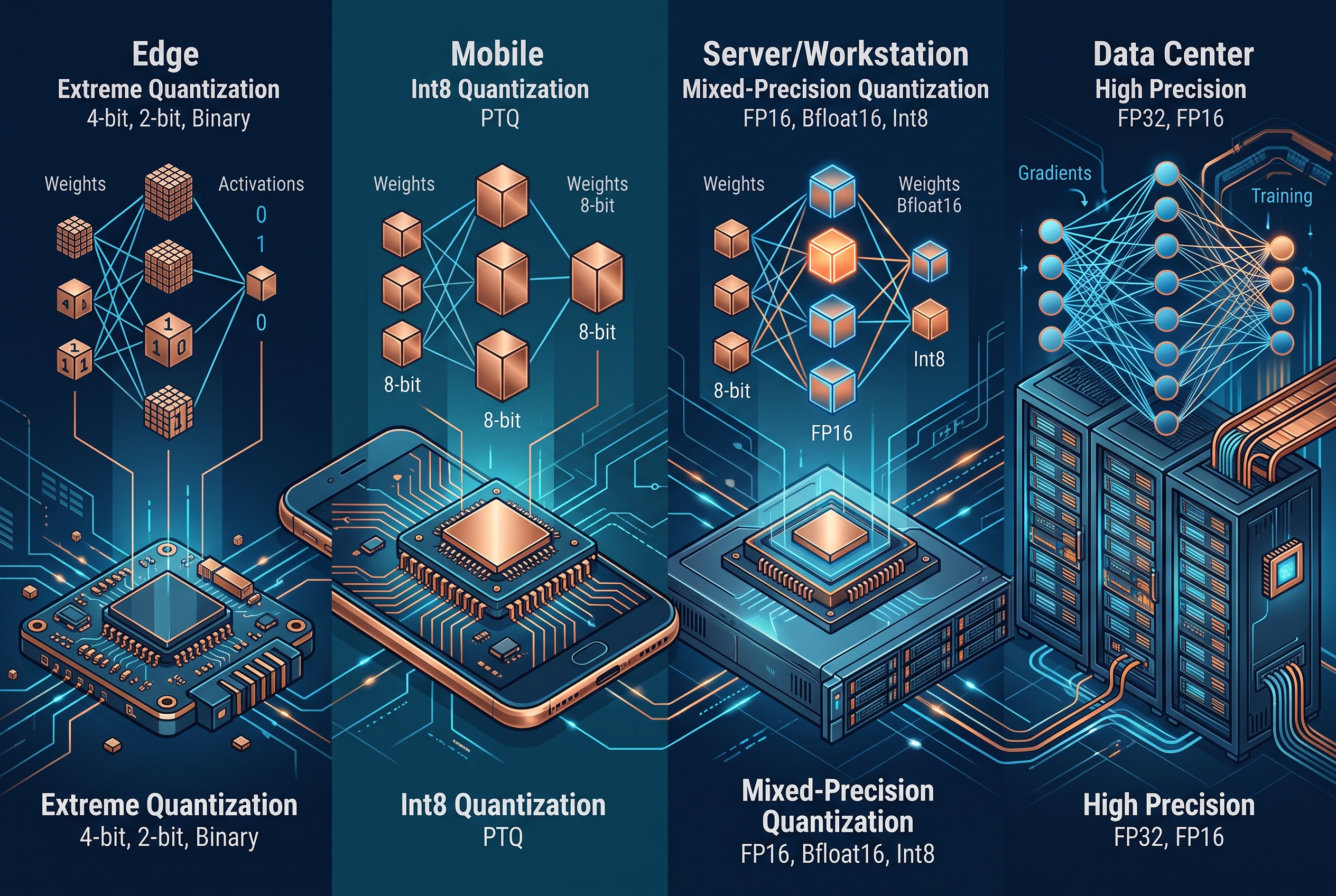
What developers and infrastructure teams should take away
For developers, the key decision is not BF16 versus a named low-bit format in isolation. It is whether the selected build completes the target task at the desired context length. Keep a small regression set and rerun it whenever the runtime, quantization, prompt template, or hardware changes. Pin the exact model file and runtime version so a good test can be reproduced.
For infrastructure teams, separate capacity planning into weights, cache, and concurrency. Monitor prompt length, cache utilization, queue time, prefill latency, generated tokens per second, and out-of-memory events. Those signals reveal whether to add memory, lower the context cap, route short requests to a smaller deployment, or improve retrieval. GPU utilization alone cannot answer that question.
Qwen’s reference llama.cpp example uses a 262,144-token context setting and GPU layer offload, while Unsloth recommends using a smaller context setting such as 32,768 tokens when less RAM is available. That is the right operational instinct: begin with a context limit that fits the service objective, then expand it after measurement. Use the maximum only when the work earns it.

Sources and further reading
- Qwen3-Next-80B-A3B-Instruct-GGUF model card for architecture, context, benchmark, and llama.cpp details.
- Unsloth Qwen3-Next local deployment guide for context and sampling guidance.
- llama.cpp for the open-source GGUF runtime.
Run Qwen 3.8 Flash Next GGUF on Wiro against a real long-context task, then choose the smallest quantization that clears the quality and latency bar. That is how quantized AI models become an engineering decision rather than a model-card guess.