
Nano Banana 2 Lite prompts work best when they describe a scene as a set of controllable parts: subject, setting, light, camera or illustration treatment, and the one detail that cannot drift. This model is built for quick 1K generation and editing, so the useful goal is not one giant all-purpose prompt. It is a repeatable prompt pattern that produces a usable first frame fast, then gives a developer or creative team a clean variable to change.
On Wiro, Nano Banana 2 Lite returns one raster image per run and supports optional image references. Its 3:2 output is 1264 by 848 pixels, while 16:9 is 1376 by 768. That is enough for concept boards, product drafts, and interface-adjacent visuals, but it is not a substitute for a final 2K or 4K deliverable. Google positions the model for fast, cost-conscious iteration and says a generation can complete in as little as four seconds in its own environment. Google Cloud’s launch post is a useful reminder that speed changes the workflow: teams can compare directions before committing expensive image-editing or rendering capacity.
A Nano Banana 2 Lite prompt needs a job
Start with the output decision, not an adjective pile. A product mockup needs material cues and a camera angle. An editorial image needs mood and composition. A technical cutaway needs named zones and a style constraint. The model can handle a dense scene, but each extra requirement raises the chance that one requirement gets simplified. Put the non-negotiable part early, then add only details that change the picture.
For production systems, this matters beyond aesthetics. A short, parameterized prompt is easier to store, diff, test, and replay. Keep a prompt template in source control. Treat the subject, environment, palette, and aspect ratio as fields. Log the model version, reference-image URL, safety setting, request time, and output URL next to the prompt. That makes a visual approval easier to reproduce when a marketing, product, or documentation team asks for another variant two weeks later.
Nano Banana 2 Lite accepts up to 14 reference images on Wiro, but more inputs are not automatically better. Use one reference for composition, one for a product or object, and one for style when needed. Conflicting perspective, lighting, or art direction gives the model competing instructions. The official model documentation also calls out that low-quality references can carry blur and compression into the result. Clean inputs save retries.
8 Nano Banana 2 Lite prompts for better images
1. Observatory hotel
Prompt: A boutique hotel lobby inside a converted observatory. Brass telescope, velvet chairs, rain on glass dome, warm evening light, editorial interior photography.
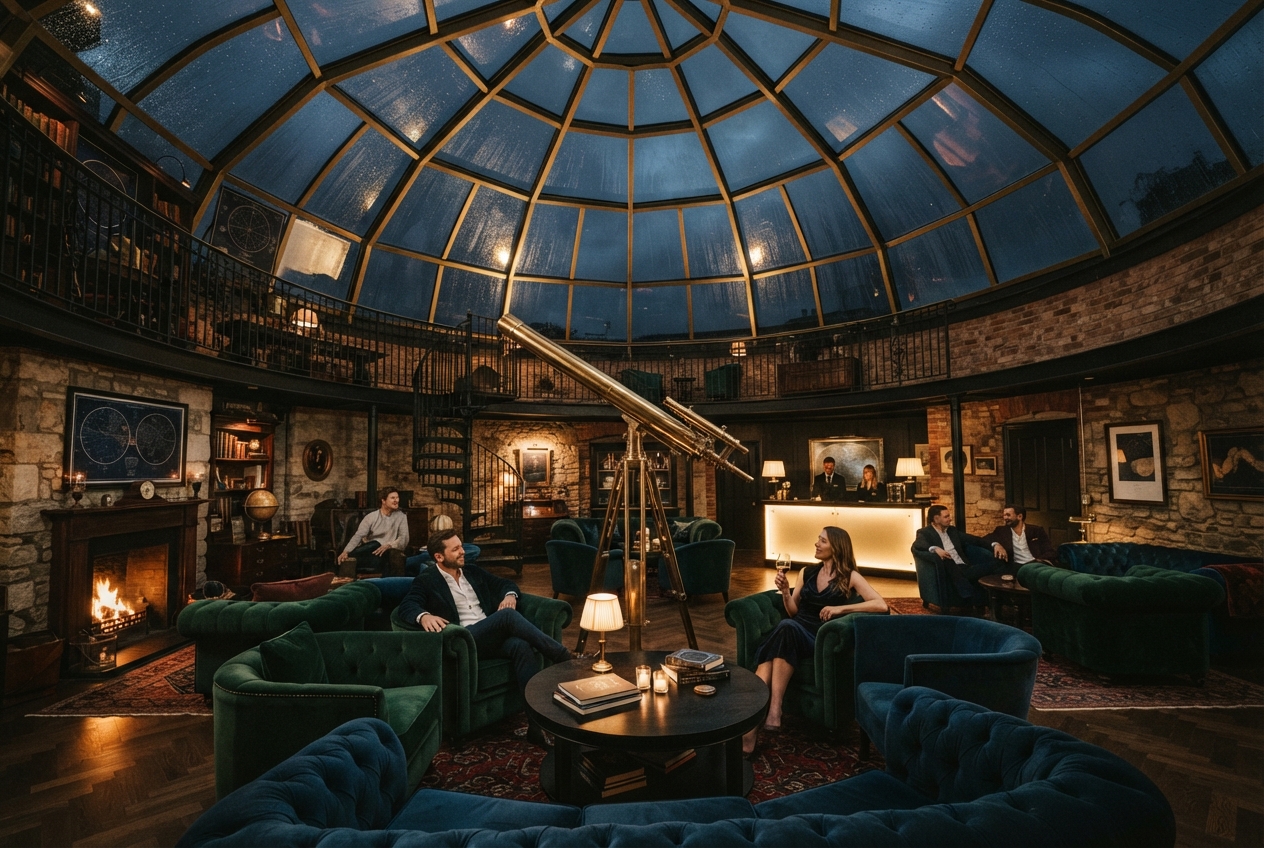
Why it works: The subject is an interior, the setting has one memorable architectural feature, and the lighting gives the scene a time of day. This is a good test of whether a prompt needs more detail. If the dome or telescope matters, move it to the first sentence rather than adding five more furniture items.
2. Field recorder product shot
Prompt: A portable field recorder on a mossy rock beside a waterfall. Water droplets, knurled metal controls, shallow depth of field, premium product photograph.
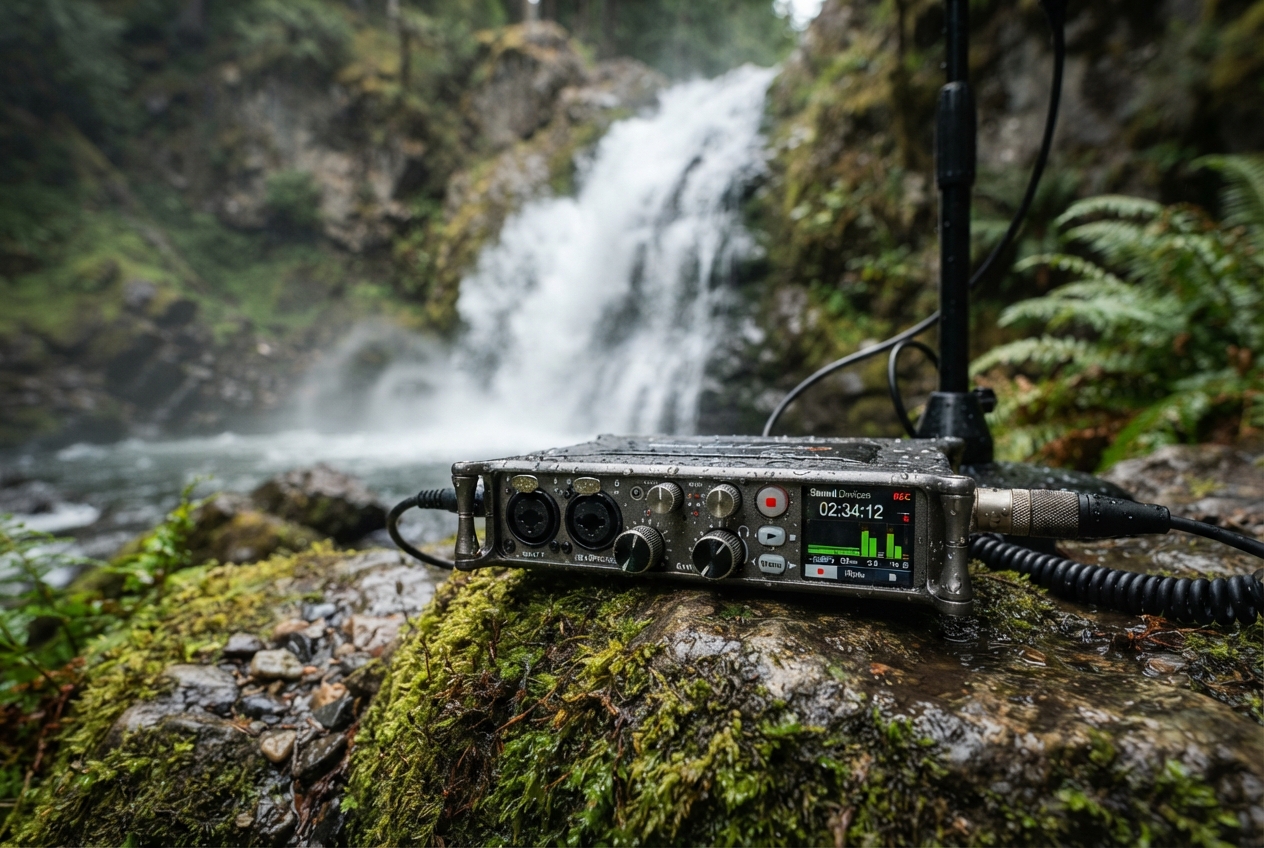
What it tests: Small controls, wet surfaces, and a product that must stay recognizable. For a real SKU, supply the product photograph as a reference and tell the model which side of the device must remain visible. Do not rely on text inside the image for model numbers or buttons. Add that later in a design tool.
3. Bakery carriage
Prompt: A tiny bakery run by robots inside an old train carriage. Morning steam, fresh bread, warm copper and blue colors, whimsical cinematic still.
What it tests: Narrative density. There is a place, an activity, a material cue, and a narrow palette. This is a useful pattern for social cards and storyboards: one unusual premise, one action, and two visual anchors. If the result gets busy, remove the color instruction before removing the central activity.
4. Alpine field guide
Prompt: A scientific field guide plate showing four imaginary alpine flowers, clean ink and watercolor, paper texture, precise botanical detail, no labels.
What it tests: Controlled illustration without generated text. The request for four flowers makes counting visible, while the no-label constraint keeps the task focused on image composition. Teams building educational assets should add names and callouts after generation, where typography is deterministic and accessible.
5. Diner in a dust storm
Prompt: A lone cyclist pauses at a desert roadside diner during a dust storm. Neon sign glow, muted palette, 35mm documentary photo, no text.
What it tests: Weather, a person, and restrained color. The phrase 35mm documentary photo controls the visual language without demanding a specific real photographer’s style. The no-text clause helps when the image will sit behind a headline added in HTML or a design system.
6. Rooftop library
Prompt: A floating public library anchored between two city rooftops. Children read among paper lanterns. Late afternoon, believable architecture, no text.
What it tests: Scale and structure. The phrase believable architecture gives the model a guardrail when the premise bends reality. For a UI pipeline, generate this at the display aspect ratio first. Cropping a 3:2 scene into a tall mobile card often removes the structural detail that made the image convincing.
7. Deep sea cutaway
Prompt: A cutaway illustration of a deep sea research habitat. Visible sleeping pod, laboratory, and submersible dock. Rich blue palette, clean technical art, no labels.
What it tests: Zone separation and technical visual language. This kind of prompt is useful for documentation hero art or concept reviews, not engineering diagrams. If a diagram needs exact dimensions, labels, or safety information, generate a mood reference and draw the real diagram from structured data.
8. The hard prompt
Prompt: A glass greenhouse on the back of a blue whale flying over a thunderstorm. Three gardeners, accurate reflections, coherent tools, painterly wide scene.
What it tests: Requirement pressure. It asks for an impossible setting, three people, reflections, tools, and a wide composition. Use it as a regression prompt. Run it whenever a model setting, wrapper, or reference-handling path changes. Compare outputs for subject count, visible tools, and broken reflections rather than judging only the overall mood.
Where Nano Banana 2 Lite fits in a developer workflow
The model is most useful at the front of a visual pipeline. A service can generate three or five directions for a prompt, store each output with its input hash, then send approved images to an asset store or human editor. The model’s fixed 1K ceiling creates a clear boundary: use it for exploration, previews, and drafts; pass selected assets to a higher-resolution workflow when pixel detail matters.
Infrastructure teams should budget for burst behavior, not just average latency. Image requests arrive in clusters during a campaign review or product launch. Put generation behind a queue, use an idempotency key tied to the normalized prompt and references, and keep a dead-letter path for rejected or failed jobs. Separate the request record from the binary asset. That makes retries safe and lets a CDN cache approved outputs without regenerating the same image.
Also make safety and provenance part of the request contract. Google documents provenance and watermarking systems for generated images, including SynthID and C2PA content credentials. Keep the original output when possible, record who approved it, and do not strip metadata before a compliance review. The same rule applies to reference images: verify that the team has rights to use them and avoid uploading sensitive material to a shared creative workflow.
Three practical tips
- Change one variable per iteration. Keep the subject and composition fixed, then change light, lens language, or palette. The result tells the team what caused the improvement.
- Choose the ratio before generating. A 3:2 image is 1264 by 848 pixels on this model. Pick 16:9, portrait, or square when that is the actual destination rather than cropping every draft later.
- Keep text out of the image. Generate the scene first. Add product names, metrics, labels, and localized copy in the rendering layer where spelling, contrast, and screen-reader context can be controlled.
Try these prompts yourself: run Nano Banana 2 Lite on Wiro and keep the winning prompt plus its references with the final asset. That small bit of discipline turns a quick image experiment into a repeatable workflow.



1 Comment